
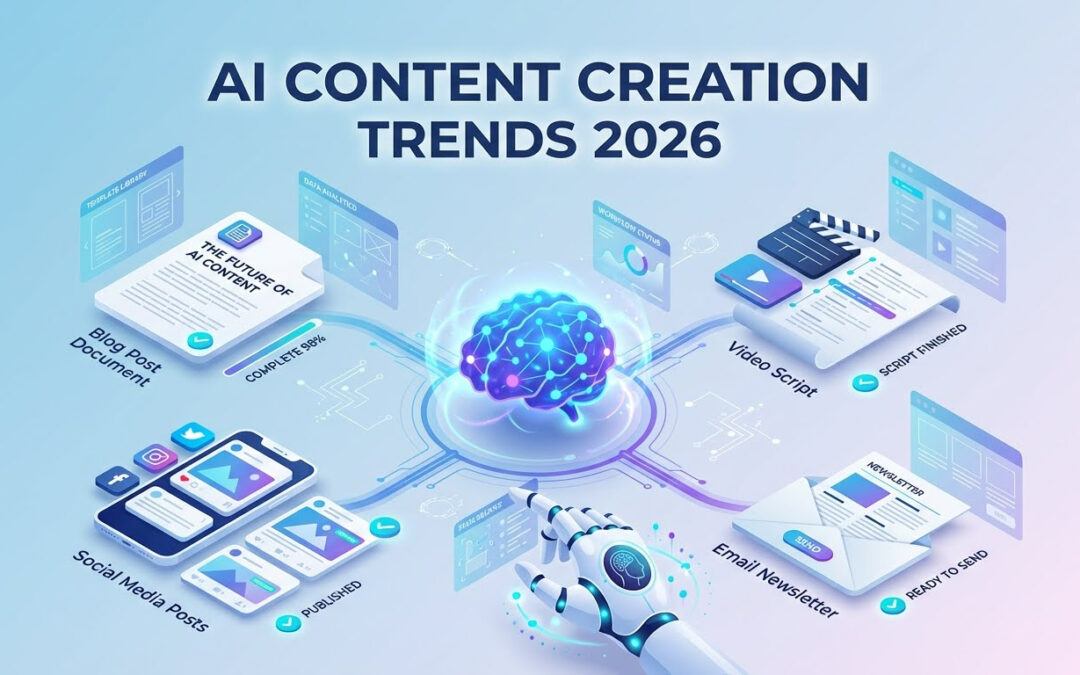
AI for content creation is no longer a futuristic add-on—it’s the backbone of modern content strategies. Whether you’re writing blog posts, designing graphics, building social media calendars, or planning videos, AI for content creation can help you produce high-quality content faster than ever before.
According to HubSpot’s 2025 State of Marketing Report, 82% of marketers are now using AI tools in their content workflows, with 67% reporting significant time savings. Leading platforms like ChatGPT, Claude, Jasper, and Copy.ai have made AI-assisted content creation accessible to businesses of all sizes. Best of all, you can implement it immediately with our free downloadable templates included at the end of this guide.
In this guide, you’ll learn a simple step-by-step AI content creation framework you can apply immediately, along with copy-paste templates you can use for blogs, social media, scripts, and more.
Contents
- 0.1 Step 1: Define the Goal of Your Content
- 0.2 Step 2: Research Using AI
- 0.3 Step 3: Generate a High-Quality Content Outline
- 0.4 Step 4: Draft the Content Using AI
- 0.5 Step 5: Edit, Humanize & Add Your Expertise
- 0.6 Step 6: Repurpose the Content Across Platforms
- 1 🎁 Free AI Content Templates (Copy–Paste)
- 2 ⭐ Real Example: AI Content Workflow in Action
- 3 🎯 Final Thoughts: AI Gives You Leverage, Not Replacement
⭐ Why Use AI for Content Creation?
Research from Content Marketing Institute shows that content teams using AI reduce production time by an average of 40% while maintaining quality.
AI gives creators superpowers:
- Produce content 5x faster
- Eliminate writer’s block
- Generate better ideas
- Maintain consistency across platforms
- Reduce editing time
- Automate repetitive tasks
AI doesn’t replace your creativity—it amplifies it.
✅ The 6-Step AI Content Creation Framework
This framework works for blogs, emails, videos, social posts, landing pages, scripts, and newsletters.
Step 1: Define the Goal of Your Content
Before you open any AI tool, answer:
- Who is the audience?
- What problem are you solving?
- What is the desired outcome? (click, learn, buy, share)
- Which platform is this for?
Not sure which platform to prioritize? Check our guide on choosing the right content platforms for your business.
AI Prompt Template — Content Goal Definition
Act as a content strategist. I want to create content about: [topic].
My audience is: [describe audience].
The content format is: [blog/video/post/email].
The goal is: [inform/sell/generate leads/grow followers/etc].
Give me the best angles and content approach.
Step 2: Research Using AI
If you are using AI for content creation, AI can quickly gather:
- trending topics
- related questions
- keyword clusters
- competitor structures
- audience pain points
AI Prompt Template — Smart Research
Give me the top 20 trending questions people ask about [topic].
Organize them into categories: beginner, intermediate, expert.
Also list the top SEO keywords and subtopics.
Use this to build your outline.
Step 3: Generate a High-Quality Content Outline
Ask AI to create a structured, SEO-friendly outline, but YOU refine it.
AI Prompt Template — Outline
Create a detailed outline for a long-form article on: [topic].
Include H1, H2, H3 sections and key talking points.
Make it SEO-friendly and include data, tips, and examples.
Step 4: Draft the Content Using AI
AI helps create your first draft faster, but human editing makes it unique.
Tips:
- Ask for multiple versions
- Request tone variations
- Combine your best sections into one document
AI Prompt Template — Content Drafting
Write a high-quality first draft based on the following outline:
[Paste your outline]
Use a friendly and informative tone.
Add examples and actionable insights.
Step 5: Edit, Humanize & Add Your Expertise
AI provides speed; your creativity provides authenticity.
What to fix:
- Add personal stories or examples
- Check accuracy of facts
- Adjust tone to match your brand
- Add images, charts, templates, or screenshots
AI Prompt Template — Humanizing Content
Rewrite this section to make it sound more personal and story-driven:
[Paste content]
Step 6: Repurpose the Content Across Platforms
One long-form piece can become:
- 10 social media posts
- 3 carousel posts
- 1 newsletter
- 1 YouTube script
- 1 LinkedIn post
- Shorts / Reels scripts
- Podcast talking points
AI Prompt Template — Repurposing
Turn this long-form article into
1) 10 short social media posts
2) 3 carousel scripts
3) 1 newsletter
4) 1 YouTube video script
[Paste article]
AI makes multiplatform distribution effortless.
🎁 Free AI Content Templates (Copy–Paste)
1. Blog Post Prompt Template
Act as an expert writer. Write a well-structured blog post about: [topic].
Target audience: [audience].
Primary keyword: [keyword].
Tone: [professional / friendly / witty].
Length: [word count].
Include: examples, statistics, FAQs, and a conclusion with a CTA.
2. Short-Form Social Media Post Template
Write 5 short posts for [platform] about: [topic].
Tone: [informative / bold / motivational].
Include hooks, 1 takeaway, and 1 CTA.
3. YouTube Video Script Template
Write a YouTube video script about: [topic].
Include: Hook, Intro, Main Points, Examples, CTA, and Outro.
Style: fast-paced and engaging.
4. Email Newsletter Template
Write an engaging email newsletter about: [topic].
Audience: [audience].
Include a hook, story, lesson, and CTA.
5. SEO Optimization Template
Optimize this article for SEO:
[Paste article]
Add keywords, improve headings, and make suggestions for meta title + description.
⭐ Real Example: AI Content Workflow in Action
Let’s say your topic is:
“How small businesses can use AI to improve productivity”
AI workflow results:
Ideas:
- Automating emails
- AI customer support
- AI-generated marketing content
- Scheduling & analytics
Outline:
- Intro
- AI tools for small businesses
- Implementation steps
- Case studies
- Mistakes to avoid
- Conclusion
Repurposing:
- 10 tweets
- LinkedIn post
- Instagram carousel
- YouTube explainer script
This makes you produce 30+ pieces of content from 1 idea.
🎯 Final Thoughts: AI Gives You Leverage, Not Replacement
AI isn’t here to replace creators—it’s here to help you:
✔ Think faster
✔ Create better
✔ Stay consistent
✔ Scale your content across platforms
Follow the 6-step framework and use the templates to build your own AI-powered content system.
Start Using AI for Content Creation Today
The best time to integrate AI for content creation into your workflow was yesterday—the second best time is now. Whether you’re a solo creator, small business owner, or part of a content team, AI for content creation levels the playing field and gives you enterprise-level capabilities without the enterprise budget.
Here’s your action plan:
Week 1: Choose one AI tool and test it with the templates provided above. Start with blog posts or social media content—whichever format you produce most frequently.
Week 2: Implement the 6-step framework for at least 3 pieces of content. Track your time savings and quality improvements.
Week 3: Begin repurposing your content across multiple platforms using AI for content creation prompts. One long-form article should generate at least 10 additional content pieces.
Week 4: Refine your prompts based on what works. The more you use AI for content creation, the better your outputs become.
Common Mistakes to Avoid When Using AI for Content Creation
❌ Publishing AI content without editing or fact-checking
❌ Using the same prompts for every topic without customization
❌ Ignoring your brand voice and tone
❌ Forgetting to add personal examples and insights
❌ Not optimizing AI-generated content for SEO
The Future of AI for Content Creation
AI for content creation is evolving rapidly. What takes 6 steps today might take 3 steps tomorrow. The creators who win are those who:
- Start experimenting now
- Build systems around AI tools
- Maintain their unique voice and perspective
- Focus on adding human value AI can’t replicate
Ready to transform your content process? Download our free templates, bookmark this guide, and start implementing AI for content creation in your workflow today. Your future self—and your content calendar—will thank you.
Want more AI content strategies? Explore our complete AI marketing toolkit, learn about advanced AI prompting techniques, or join our community of creators mastering AI-powered content workflows.